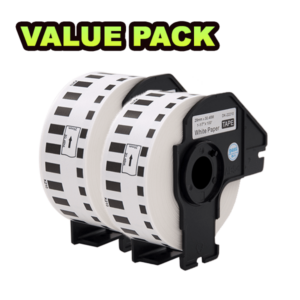

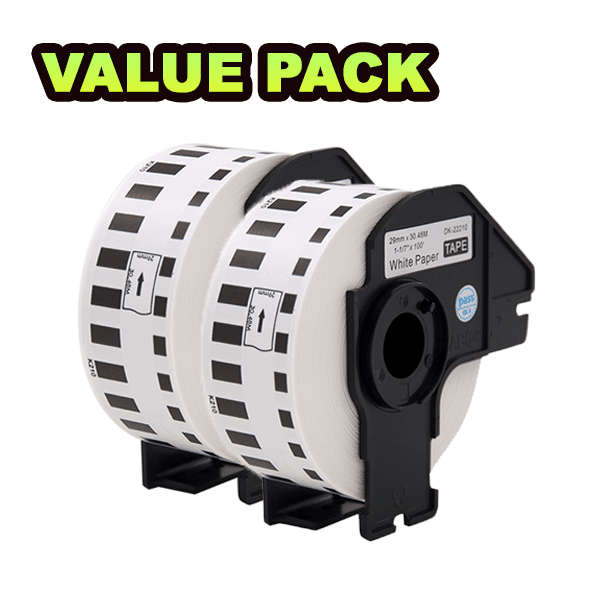

Compatible Label Tape for Brother DK22210 (2packs)
Original price was: $190.$114Current price is: $114.
Continuous Length Tape
– Continuous Durable White Paper Tape – Medium Width Tape – Black Print on White – 29mm x 30.48M
For Use With
– Available: QL800/QL820NWB/QL1110NWB
– Discontinued: QL570/QL580N/QL700/QL720NW
Brother DK22210 (2Packs) – Brother Compatible DK Labelling Tapes
Specification : 1-1/7″ x 100′(29mm x 30.48m) – Brother DK-2210 Compatible Continuous Labels
100% Compatible – For Brother Thermal Label Printer: QL-500, QL-500A, QL-500BS, QL-500BW, QL-550, QL-560, QL-560VP, QL-560YX, QL-570, QL-580, QL-580N, QL-650TD, QL-700, QL-710W, QL-720NW, QL-800, QL-810W, QL-820NWB, QL-1050, QL-1050N, QL-1060N, QL-1100, QL-1110NWB
Quality First: Brother DK-2210 Compatible Labels are White, they can also print darker. Smooth and tidy rolls make the printer fluently. Patented design enables easy and fast peeling, it is BPA free.
Reliability: The Labels are the powerful adhesive that used to make it sticky and long-lasting. High-quality raw materials enable each label to stick to any surface tightly. The Cartridge FrameCompatible with Brother P-Touch & Q-Touch label maker machines and **Easy Installment**.
Multipurpose: Brother DK-2210 is Continuous Labels. Also, It is perfect as return address labels, barcode labels, FNSKU labels, and UPC labels. It can be used for envelope, mail, letters, and parcel.temporary and indoor signage. packaging and other retail uses.
To install a new label roll:
- Make sure that the printer is turned Off.
- Pull the release levers on both sides of the printer to unlock the DK Roll Compartment Cover.
Hold the printer by the front, and firmly lift the DK Roll Compartment Cover to open it.
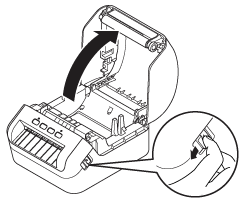
3. Before using the printer, remove the protective sheet (1) from the Label Output Slot.
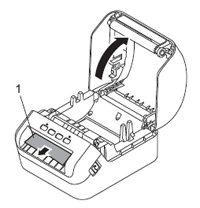
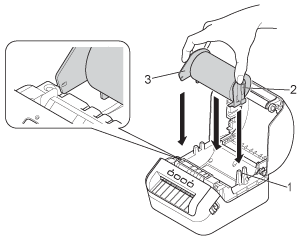
4. Place the DK Roll into the Roll Spool Guide (1).
-
- Make sure that the Roll Spool Arm (2) is inserted firmly in the Roll Spool Guide.
- Make sure the Stabilizer (3) slides into the notch of the printer.
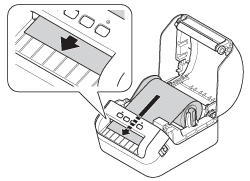
5. Thread the DK Roll through the printer.
- Align the edge of the DK Roll with the upright edge of the Label Output Slot.
- Check that the DK Roll is threaded straight so that the labels will not be skewed.
- Push the first label through the Label Output Slot until the end of the label comes out of the Slot as shown below.
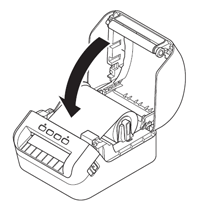
5. Close the DK Roll Compartment Cover.
> Compatible with: Brother Continuous Length Tape DK22210
> More Brother DK Compatible Label Tape: Click Here
| Brand | Mr. Print |
|---|---|
| Color | Black on White |